 ZigBeeForDomoticZ plugin Wiki
Real-time interference scan
An energy scan measures the radio activity (Wi-Fi, other Zigbee networks, Bluetooth…) on each Zigbee channel, 11 to 26. It helps you choose a quiet channel for your network (see ZigBee and Wi-Fi and Change the Zigbee channel).
The WebUI Network > Interference level page runs one scan at a time while the plugin is running (see WebUI Network). The command-line tools below scan continuously, with the plugin stopped. They also test that the system can talk to the coordinator: if they fail, the problem is between the system and the dongle (port, access rights, firmware), not in the plugin.
The lower the value, the quieter the channel.
These tools work with zigpy coordinators (Texas Instruments, Silicon Labs, ConBee/RaspBee…), not with a ZiGate.
Before you start
- Stop the plugin: the coordinator port can only be used by one program at a time.
- Open a terminal and activate the Python virtual environment of Domoticz, where the plugin’s Python modules are installed (see Python virtual environment). Don’t install anything with
sudo pip3.
In the commands below, replace /dev/ttyUSB0 with the serial port of your coordinator (preferably its /dev/serial/by-id/... path).
With zigpy-cli (all zigpy coordinators)
The zigpy command (zigpy-cli) is installed with the plugin:
zigpy radio znp /dev/ttyUSB0 energy-scan
Use znp for Texas Instruments, ezsp for Silicon Labs and deconz for ConBee/RaspBee.
With the zigpy-znp tool (Texas Instruments only)
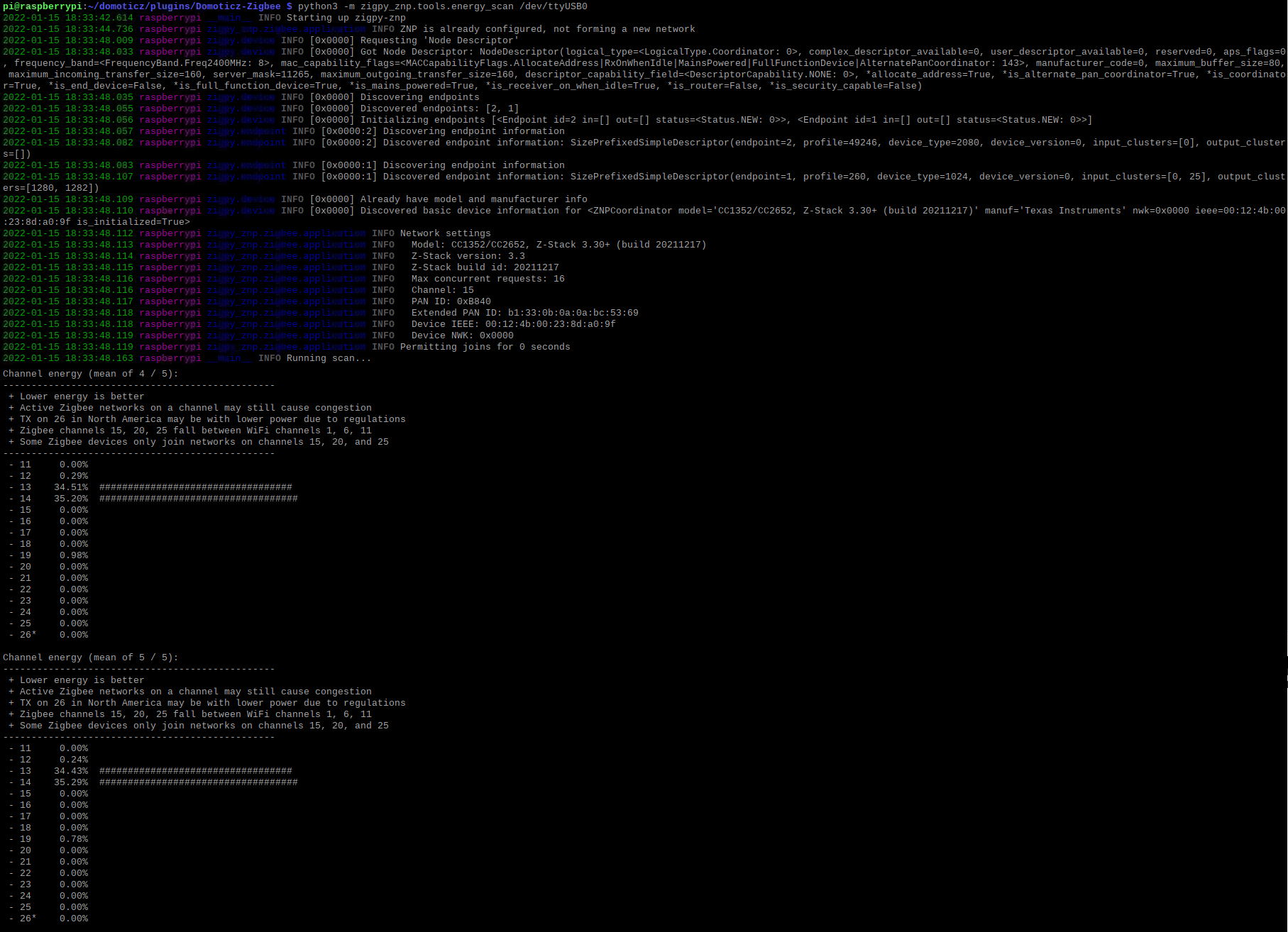
Texas Instruments (ZNP) coordinators also have a dedicated tool, which displays a live chart of all the channels:
python3 -m zigpy_znp.tools.energy_scan /dev/ttyUSB0
It scans until you stop it; add -n 10 to stop after 10 scans. If it reports a missing module (such as coloredlogs), install it with pip install coloredlogs in the Domoticz virtual environment.
This picture may have changed since this documentation was written.
Stop the scan
Press Ctrl+C to stop the scan, then start the plugin again.
Real-time interference scan
An energy scan measures the radio activity (Wi-Fi, other Zigbee networks, Bluetooth…) on each Zigbee channel, 11 to 26. It helps you choose a quiet channel for your network (see ZigBee and Wi-Fi and Change the Zigbee channel).
The WebUI Network > Interference level page runs one scan at a time while the plugin is running (see WebUI Network). The command-line tools below scan continuously, with the plugin stopped. They also test that the system can talk to the coordinator: if they fail, the problem is between the system and the dongle (port, access rights, firmware), not in the plugin.
The lower the value, the quieter the channel.
These tools work with zigpy coordinators (Texas Instruments, Silicon Labs, ConBee/RaspBee…), not with a ZiGate.
Before you start
- Stop the plugin: the coordinator port can only be used by one program at a time.
- Open a terminal and activate the Python virtual environment of Domoticz, where the plugin’s Python modules are installed (see Python virtual environment). Don’t install anything with
sudo pip3.
In the commands below, replace /dev/ttyUSB0 with the serial port of your coordinator (preferably its /dev/serial/by-id/... path).
With zigpy-cli (all zigpy coordinators)
The zigpy command (zigpy-cli) is installed with the plugin:
zigpy radio znp /dev/ttyUSB0 energy-scan
Use znp for Texas Instruments, ezsp for Silicon Labs and deconz for ConBee/RaspBee.
With the zigpy-znp tool (Texas Instruments only)
Texas Instruments (ZNP) coordinators also have a dedicated tool, which displays a live chart of all the channels:
python3 -m zigpy_znp.tools.energy_scan /dev/ttyUSB0
It scans until you stop it; add -n 10 to stop after 10 scans. If it reports a missing module (such as coloredlogs), install it with pip install coloredlogs in the Domoticz virtual environment.
This picture may have changed since this documentation was written.
Stop the scan
Press Ctrl+C to stop the scan, then start the plugin again.